Smalltalk’s Browser: Unbeatable, Yet Not Enough
The four-pane System Browser has shaped Smalltalk development for forty years. It’s still brilliant at providing context. But the real problem may not be the browser itself—it may be the lack of composition between the tools that surround it.


Smalltalk’s Browser: Unbeatable, Yet Not Enough
Smalltalk is one of those systems that looks “old” until you realize it was often first. Many things we take for granted in modern IDEs—live inspection, tight feedback loops, powerful navigation—were part of Smalltalk culture decades ago.
And yet the daily experience of working in Smalltalk is still dominated by a metaphor that has barely changed in forty years: the four-pane System Browser. It’s brilliant at providing context. It’s also the start of a wider UX problem.
Take a look at this screenshot from Smalltalk-80—you can clearly see the System Browser in action:
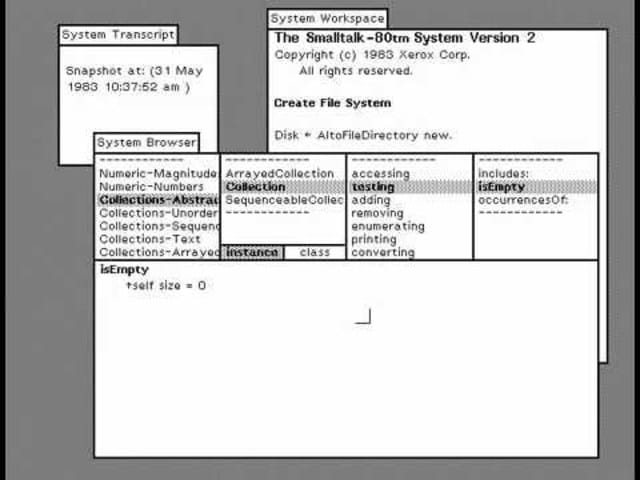
The System Browser (also called the class browser) is meant to explore the class structure of the system. In practice, it’s the main programming surface in most Smalltalk IDEs.
Here are two modern incarnations—different eras, different UI styles, same underlying metaphor:
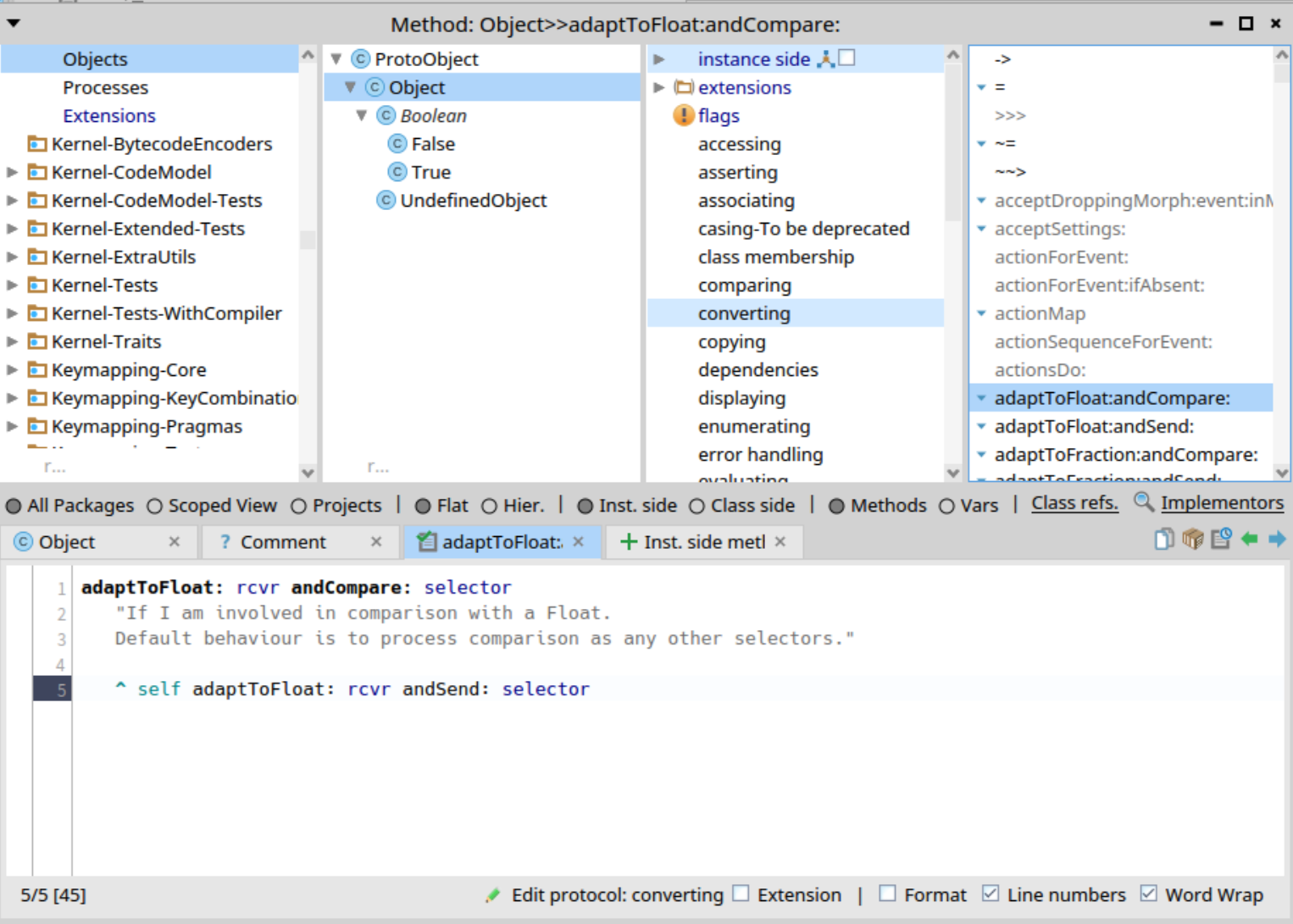
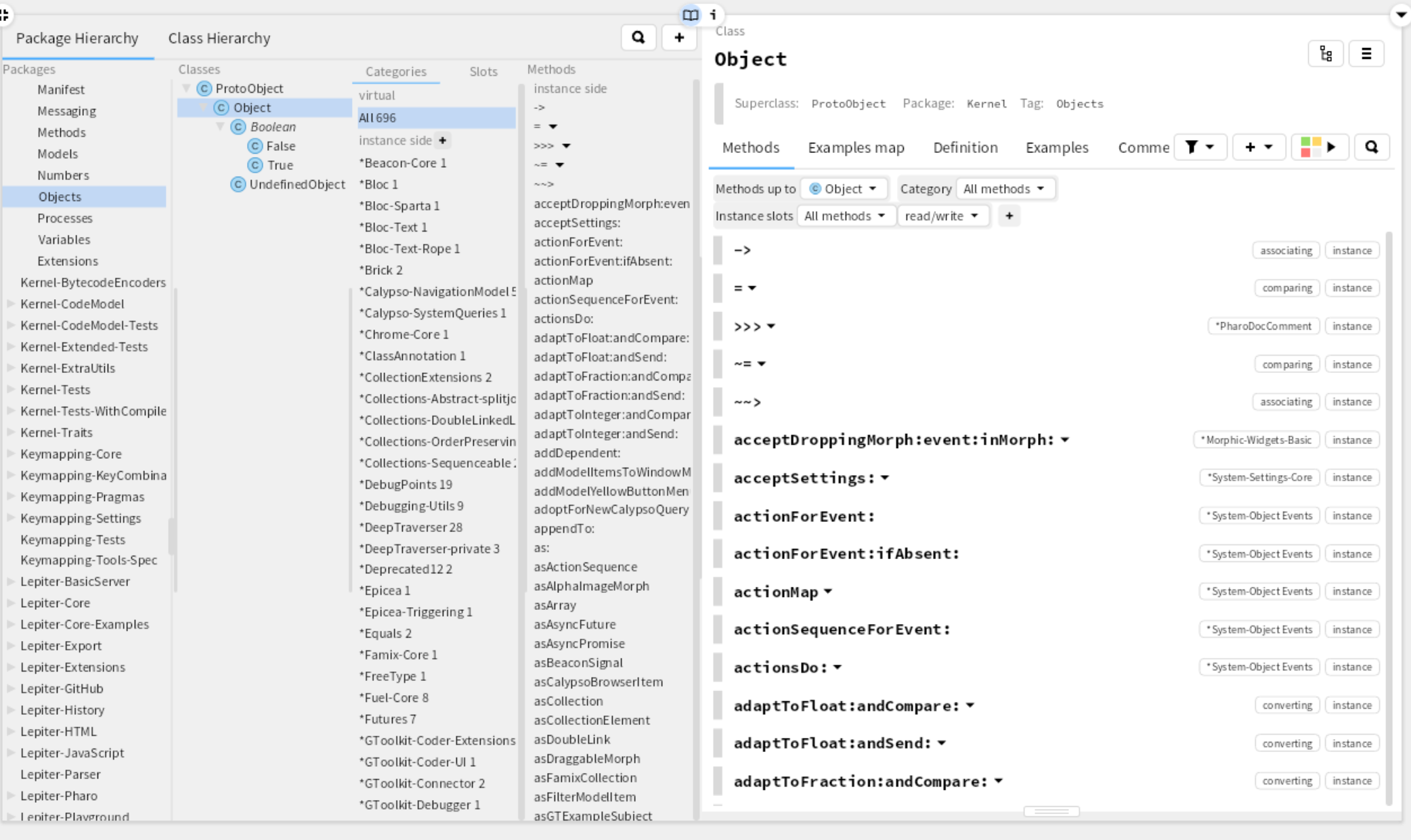
You’ll find the same structure all around: whatever the cosmetic differences, the model is stable. This is what we internally call the four-pane browser.
This metaphor has been present in essentially every Smalltalk with a full IDE (and yes: there are Smalltalk systems without a traditional IDE, like GemStone or GNU Smalltalk). It has collected both praise and criticism. What’s striking is that it has not been displaced.
So a real question emerges:
Why is this metaphor so strong?
Why has the four-pane browser survived so long without being replaced by newer (possibly better) metaphors?
It's all about context
Because programming in Smalltalk is about message passing, it’s tempting to treat the code pane—the method editor—as the “main” component:
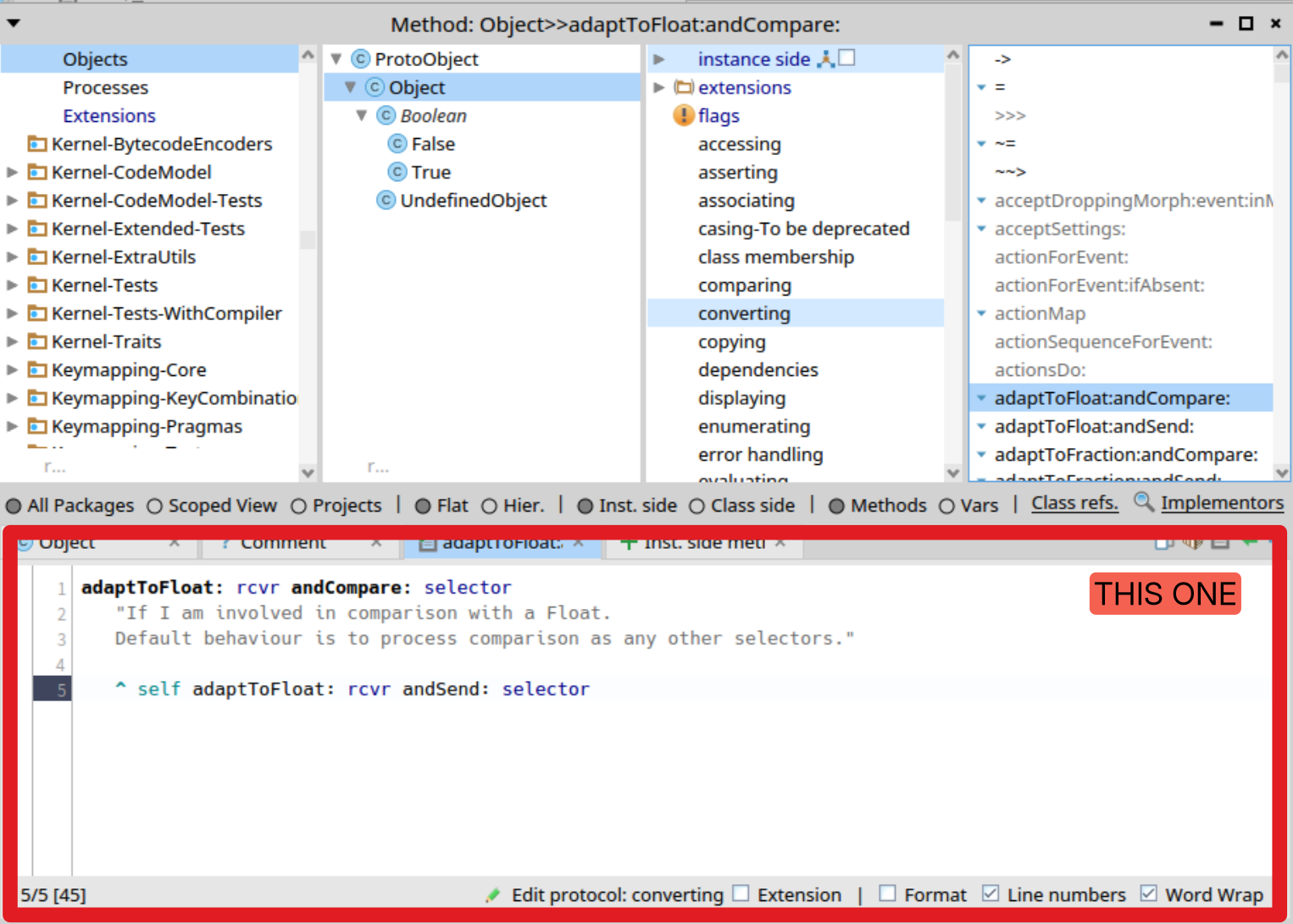
From that perspective, the obvious “replacement” would be some kind of message-flow view: a tool that would let you navigate behavior as a path, not as a hierarchy.
The idea is attractive. But even when prototypes exist, they rarely become the default way people work. And by dissecting why, implementation constraints get blamed (UI toolkits, graphics layers, performance), and some of that is surely real—but I think the deeper reason is simpler:
If you treat a message as an isolated element, you lose context you need to work productively.
A message is a method, and a method lives inside a structure.
Classes are not strictly required for message passing (Self demonstrated this long ago), but they exist to create structure: to group behavior within a coherent context. So when you look at the browser, you should also look at it like this:
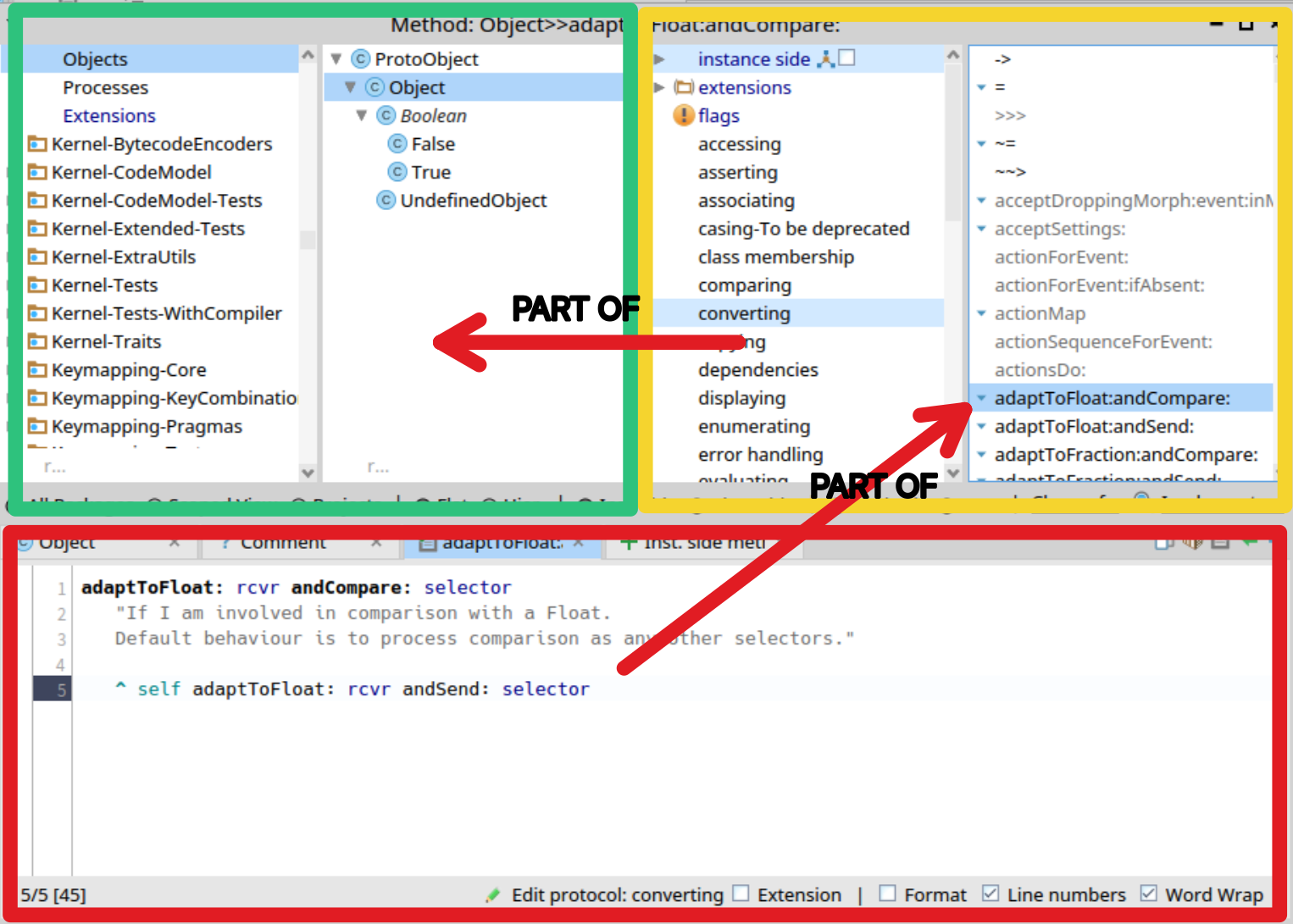
You are editing a message that will be understood in the context of a class, positioned near other classes, related by naming, hierarchy, and collaboration.
Context is the reason the System Browser remains hard to beat.
The scene doesn’t fit in the frame
And yet many of us still feel the browser should be surpassed. Not because the browser is bad—but because real programming work quickly outgrows what the browser can represent on its own.
For example, this is what I got while answering a simple question: how a settings label is created in the new settings browser? (And I already knew the answer—meaning this was the “fast path”.)
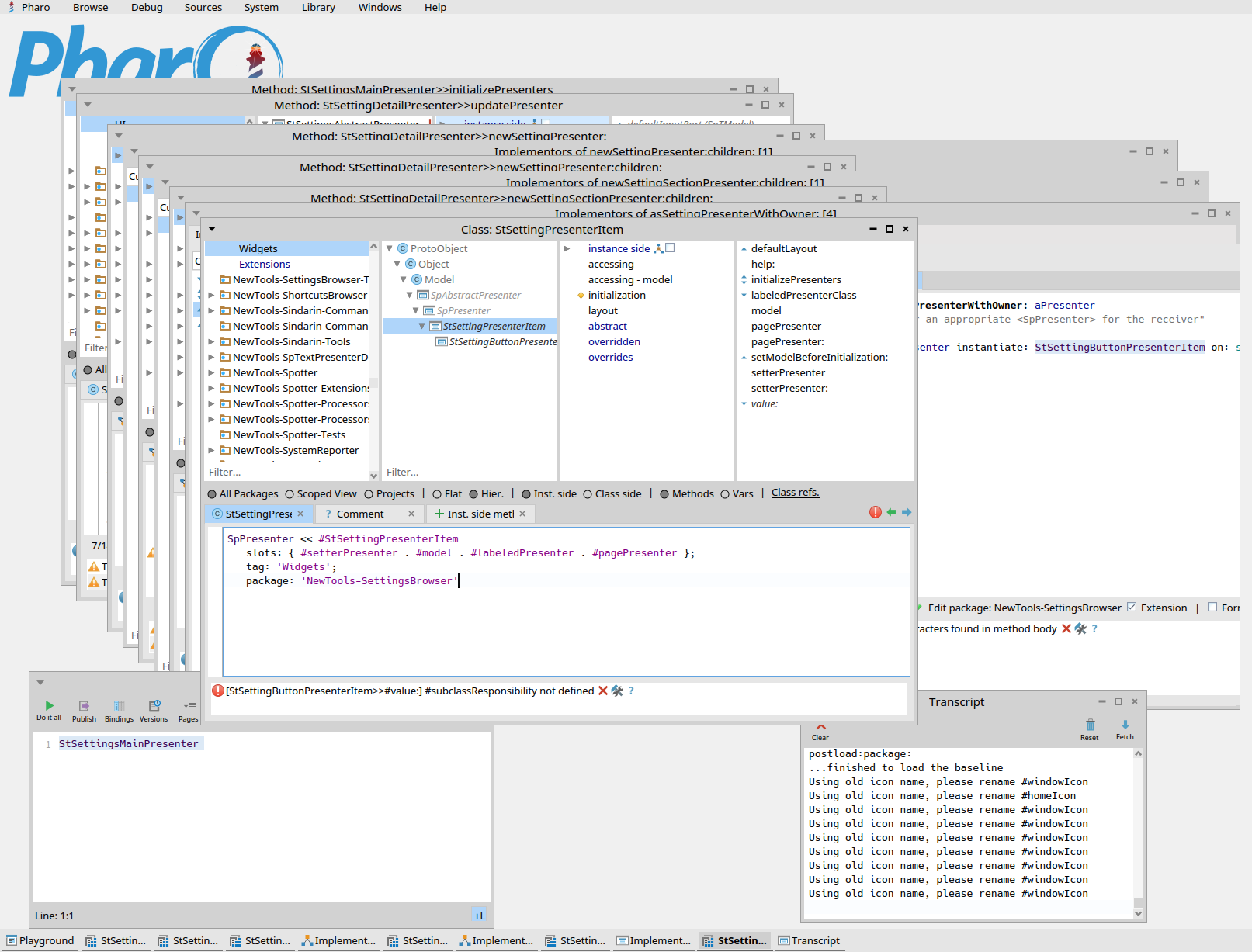
With this waterfall of windows, how are you supposed to understand the message flow that actually solves your problem?
As OOP programmers, we need to follow the flow of messages to understand behavior. That’s also why debugging is so central.
A typical session for me looks like this:
- pick a task and look from an entry point
- explore around until the change point is clear
- iterate: debug, inspect, jump to senders/implementors, try things in a playground
- backtrack, loop, realize a prerequisite task exists, restart
Yes, programming is messy.
And here is the friction:
The System Browser shows a frame, but we also need to understand the scene.
The frame contains valuable context—but it doesn’t capture the dynamic “story” of how behavior emerges across multiple tools and multiple jumps.
The real issue is beyond the browser
The “problem of the browser” people often mention is not really a browser problem. It’s an IDE problem.
The System Browser is only one tool in a larger environment: message browsers (senders/implementors), playgrounds, inspectors, debuggers—each one is a world of its own.
And in Pharo (and in all Smalltalk systems I know), these tools coexist without composing smoothly. They sit next to each other, but they don’t feel truly integrated in the way “IDE” suggests. The result is a workflow that can become chaotic: the tools reduce complexity (because they are powerful) and increase complexity (because the working set is hard to keep coherent).
We are all aware of this problem. A couple of years ago, Santiago Viana visited our team and conducted a small usability study of Pharo (while he was studying UX at the time). The sample size wasn’t large enough to be conclusive science, but the friction points he identified felt very real:
- hard to remember where you came from and to go back to a previous step
- hard to keep the working area organized in a way that fits your mental model or to customize the IDE to your workflow
It’s hard to disagree with those observations. I’d add a few recurring patterns:
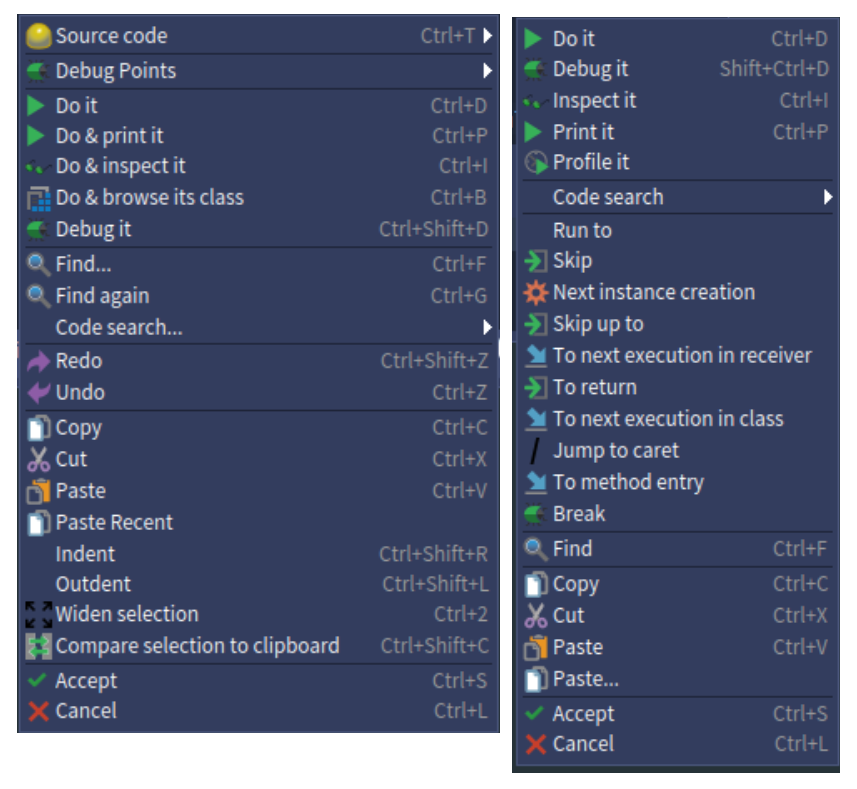
The “Frankenstein tool” problem
Over decades, tools accumulate features. Visions change. New concepts get added without reworking the overall design. The result is a tool that is extremely powerful—but increasingly hard to master.
The “hermit tool” problem
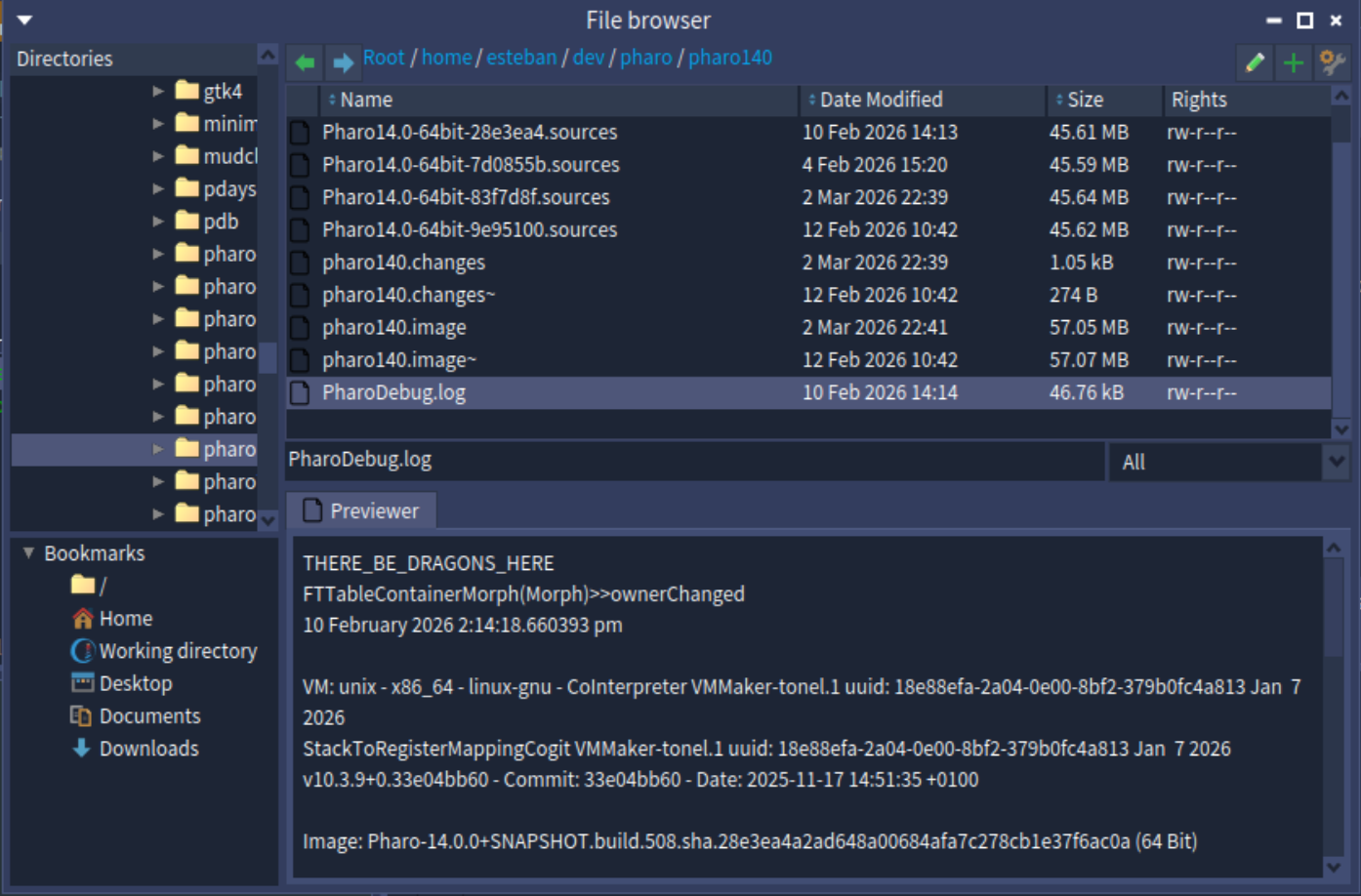
In Pharo (and in many Smalltalks), we sometimes treat “being in the same world” as sufficient integration. But moving between tools isn’t fluid enough, and context doesn’t travel with you. Too often, each tool behaves like an island.
The “alien tool” problem
Smalltalk was designed as an environment where everything is built inside the image. That philosophy is powerful—but it also creates friction with modern workflows and OS conventions (window management, menus, shortcuts, external tools). Some differences are essential to the Smalltalk experience; others are just gratuitous incompatibilities.
(I have no images, but Iceberg, I am looking at you)
The “saturated environment” problem
As Pharo evolves, the system grows in both size and complexity. Early Smalltalk systems were tiny by comparison. For example, Smalltalk-80 V2 had just 223 classes. A “vanilla” Pharo 14 image ships with about 10,750.
Whatever the exact counting method, the order-of-magnitude difference changes the economics of exploration: navigation, discoverability, signal-to-noise, and the mental cost of “just searching around”.
Preliminary closure
What people often call “the browser problem” is not really a browser problem. It’s an IDE problem.
And to solve it, there is no magic fix. In fact, there probably is no perfect solution. Pharo tends to improve things iteratively by strengthening and polishing existing tools. That’s valuable—features like the Cavrois Organic Window Manager in Pharo 13 clearly aim to reduce friction and improve daily life.
But it’s hard to avoid the feeling that incremental improvements won’t fully address what makes day-to-day work messy: not the lack of static context (the browser is excellent at that), but the lack of composition between tools and dynamic context.
Maybe the real missing piece is not a “better browser”, but a better way to represent work.
When I’m trying to understand behavior, I’m not really “in the browser” or “in the debugger”. I’m inside a thread of investigation: a chain of navigation steps, experiments, objects inspected, stack frames explored, and decisions made.
So the question I want to leave open is something like this:
What would it mean to treat the workspace as a graph of related tools, organized around that thread—rather than as a set of independent windows that happen to coexist?
I don’t have the answer yet. But I increasingly suspect that if we ever “solve the browser problem”, it won’t be by replacing the four panes. It will be by making the scene navigable: letting programmers keep track of how they got somewhere, what they tried, what they learned, and how all the tools involved relate to each other.
The System Browser is still an excellent frame. The open question is whether we can make the rest of the IDE hold the scene with the same strength.
Discuss this post in the fediverse: https://social.smallworks.eu/notice/B3uUHdRlqilPLAD2Aq